
5 Discord Servers for Keyboard Builders
[ Back to Mechanical Keyboards 101 ]Building a custom mechanical keyboard can be overwhelming, but joining the right online community can simplify the process. Discord offers real-time advice, organized discussions, and resources tailored to every skill level. Here are five standout Discord servers that cater to keyboard enthusiasts:
- Keyboard Builders Discord: Perfect for beginners and experts, with channels for switch lubrication, soldering, and troubleshooting.
- splitkb Community Discord: Focused on split and ergonomic keyboards, offering technical support for QMK/ZMK firmware and hardware issues.
- Cosmos Keyboards Community: Ideal for ergonomic and 3D-printed keyboard projects, with support for custom designs and wiring advice.
- KeebTalk Discord: A nonprofit community with a focus on detailed build logs, resources, and a relaxed classifieds section.
- Regional North American Keyboard Discords: Includes NovelKeys and Zeal® servers for localized advice, vendor updates, and meet-ups.
Each server offers unique benefits, from beginner-friendly guidance to niche expertise. Whether you're troubleshooting or designing from scratch, these communities can help you create your dream keyboard.
1. Keyboard Builders Discord
The Keyboard Builders Discord is a go-to community for anyone passionate about mechanical keyboards, whether you're just starting out or have years of experience. It's a vibrant space where members exchange ideas, get advice, and troubleshoot technical issues in real time.
What makes this server stand out is its well-structured channels. You'll find dedicated spaces for advanced topics like switch lubrication, DIY soldering, and even niche layouts such as 40% keyboards. For newcomers, there are beginner-friendly channels that break down the basics and clarify technical jargon.
Beyond the discussions, the server offers a wealth of curated resources. These guides cover everything from designing PCBs to crafting cases and choosing components, saving you the hassle of digging through scattered information.
One of its biggest perks is the real-time feedback from experienced builders. Whether you're sharing a prototype layout or troubleshooting wiring issues, the insights you receive can be a game-changer. This server truly highlights the collaborative spirit that makes Discord an essential tool for keyboard enthusiasts.
2. splitkb Community Discord
The splitkb Community Discord is a go-to spot for those passionate about split and ergonomic keyboard builds. Centered around splitkb.com, this server brings together fans of split keyboard designs to share knowledge and ideas.
One standout feature is the #help channel, where you can get quick technical support from both the splitkb team and experienced community members. As they explain:
"For technical questions, you may be able to find your answer on the #help channel of our Discord community. You can also post questions there, and receive answers from the community and ourselves."
Discussions often focus on firmware setup for QMK and ZMK, along with troubleshooting hardware unique to split keyboards, such as 3.5mm TRRS jacks, rotary encoders, and OLED displays. Popular builds like the Kyria, Aurora Sweep, and Halcyon Kyria come with detailed guides and schematics to make the process easier.
If you're seeking help in the #help channel, it’s a good idea to include clear photos of both sides of your PCB. This makes it easier to spot potential issues, like bad solder joints or short circuits.
Up next, we’ll explore another thriving community where keyboard enthusiasts share tips and resources.
3. Cosmos Keyboards Community
If you're into ergonomic, 3D-printed keyboards, the Cosmos Keyboards Community is built around the Cosmos Keyboard Generator. This parametric CAD tool helps users design custom ergonomic keyboard cases, and the community provides a space for immediate support and shared experiences. The Discord server serves as the go-to hub for troubleshooting and advice.
Discussions often dive into topics like ergonomics, column curvature, and hardware recommendations. Popular choices include the Adafruit KB2040, nice!nano, and Plum Twists. Whether you're picking keycaps - such as XDA, DSA, or MT3 - or navigating the generator's Expert mode to customize layout code, members are always ready to help.
The Cosmos documentation emphasizes the importance of the Discord server:
"You'll get the most help in the Discord Server, especially if you have questions related to using the generator or ergonomics." - Ryanis.cool, Cosmos Keyboard Generator Documentation
A standout feature of the server is the #show-and-tell channel, where builders share photos of their projects. The creator, Ryanis.cool, actively encourages members to post updates throughout the process:
"I would love to see it in #show-and-tell on Discord. Even the in-progress pictures, otherwise we may be waiting a month to see what it finally looks like." - Ryanis.cool, Cosmos Keyboard Generator Documentation
Before exporting your model for printing, it's crucial to check the Thickness tab in the generator. Ensuring all parts are at least 2 mm thick can save you from print failures. For wiring tight 3D-printed cases, using 28–30 gauge magnet wire is a smart choice - it eliminates the need for manual stripping and simplifies installation.
4. KeebTalk Discord
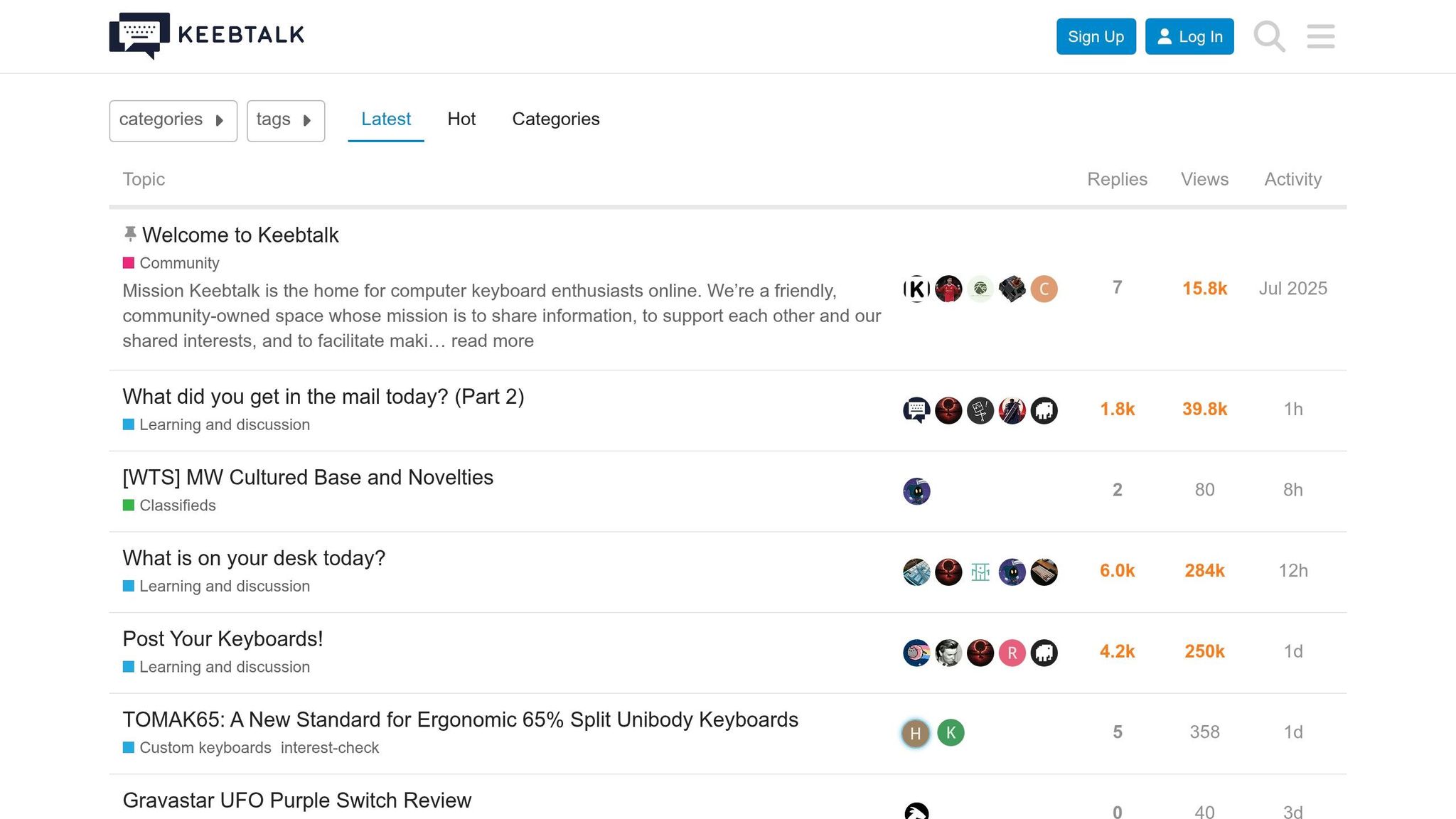
KeebTalk stands out in the keyboard community thanks to its nonprofit structure, overseen by a board of trustees. This setup ensures that no single vendor or commercial interest dominates the platform. Instead, funding comes from a variety of vendors, keeping discussions balanced and focused on the community's needs.
"Keebtalk is a nonprofit entity whose sole objective is to serve the desires of the keyboard community, governed in transparency by a board of trustees charged with executing that mission." - Keymaster, Community Leader
While KeebTalk's audience is smaller compared to massive trading hubs, this tight-knit group fosters thoughtful and meaningful interactions. You’re more likely to receive personalized help here rather than getting lost in a sea of messages. This dynamic also contributes to a wealth of practical resources for keyboard enthusiasts.
Some of the standout features include the Build Logs and Interest Checks & Group Buys channels. The build logs, in particular, are a treasure trove of detailed projects complete with photos, part lists, and technical notes. For instance, in April 2020, a user named Rob27shred shared an extensive log for a Duck Raven build. It included steps for linearizing SKCM orange switches, using SGI AT101 keycaps, and adding a custom "sorbothane strut mod" for sound dampening. Additionally, the community offers resources like ai03's Keyboard Designer Wiki and KiCAD PCB design guides for those diving into keyboard design.
The classifieds section is another highlight. Unlike larger marketplaces, it has more relaxed rules - no strict timestamp or formatting requirements - and members report far less spam. This makes it a great place to trade gear without the hassle.
sbb-itb-3cb9615
5. Regional North American Keyboard Discords
Regional Discord servers provide a way to connect with communities that share your time zone, cutting through the noise of global discussions. They make it easier to keep up with local vendor drops, shipping schedules, and even plan meet-ups. Two notable examples in North America are the NovelKeys Discord and the Zeal® Discord, each catering to specific niches within the mechanical keyboard world.
The NovelKeys Discord, launched in May 2022, has grown to include 10,629 members. It serves as both a vendor hub and a community space, offering perks like exclusive announcements, regional group buys, Discord-only giveaways, and direct after-sale support. Whether you're tracking a North American drop or need help troubleshooting a product, this server is a go-to resource.
"Joining the NovelKeys Discord server provides a unique opportunity for mechanical keyboard enthusiasts to connect, share insights, and explore new products." - NovelKeys
The Zeal® Discord, with around 5,783 members, focuses on premium components. It features channels for build showcases, technical support, and social interaction, creating a more personal and community-driven atmosphere.
For those interested in design, Keyboard Atelier offers a quieter, more specialized environment. With approximately 1,967 online members, this server is dedicated to real-time design feedback and curated resources. As they describe it:
"Whether you're an expert or just getting started, enjoy real-time discussion and feedback regarding keyboard design in a safe dedicated Discord group." - Keyboard Atelier
These regional servers enrich the keyboard hobby by offering localized advice and real-time support, showing how Discord continues to be a valuable tool for enthusiasts.
Comparison Table
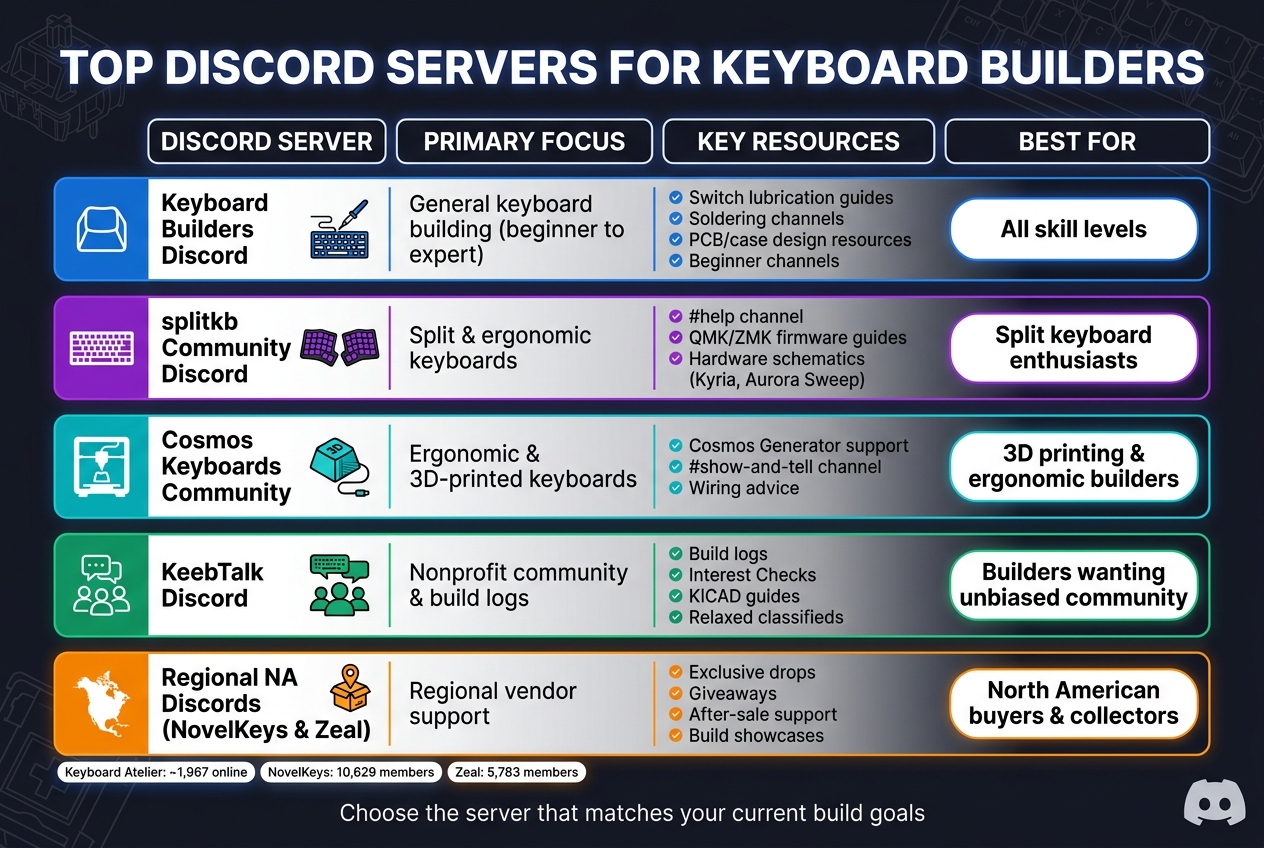
Top Discord Servers for Keyboard Builders: Quick Comparison Guide
This table highlights the unique strengths of five Discord servers, helping you find the right community based on their focus, resources, and target audience.
| Discord Server | Primary Focus | Key Resources | Best For |
|---|---|---|---|
| Keyboard Atelier | Keyboard design | Design feedback, resource lists, upcoming wiki | Advanced PCB/case designers |
| QwertyKeys | Brand support & keyboard basics | "101" guides, after-sale support, design input | Beginners and product owners |
| Conical Keyboards | Topre & electro-capacitive keyboards | Specialized wikis and guides | Enthusiasts of niche technologies |
| Tee Gee Rrr | Custom keyboard builds | Build feedback, Q&A sessions, trend updates | Builders seeking community advice |
| Self-Made Keyboards in Japan | Technical support for keyboard building | Glossary, technical discussions, repair advice | Builders needing in-depth support |
Use this table to pinpoint the community that aligns with your keyboard-building needs.
Focused servers often provide expert guidance tailored to specific interests, while larger ones may cover a broader range of topics but can feel overwhelming. Pick the server that matches your current project and the type of help you're looking for.
Conclusion
Pick a Discord server that aligns with what you need right now. If you're starting from scratch with PCB design, servers focused on design can provide fast, practical guidance. On the other hand, if you're troubleshooting or just beginning your keyboard-building journey, look for servers offering beginner-friendly help channels and resources.
Each server mentioned here has its own strengths - whether it's specialized hardware knowledge or general building advice. Use the comparison table to narrow down your choice. Once you've found the right community, it's time to dive into building and sourcing the necessary parts.
When you're ready to start, act on the advice you receive by sourcing your parts from KeebsForAll. They stock everything you need: switches, keycaps, deskmats, and full keyboard kits like the Freebird60 (starting at $160.00) and Freebird75 (starting at $199.00). If you're working with a tighter budget or want a pre-assembled option, check out the KFA Marketplace for second-hand keyboards sold by third-party sellers. With support from your chosen community and quality parts from KeebsForAll, you'll have everything you need to keep your build on track.
Think of these Discord servers as your go-to knowledge hub and KeebsForAll as your trusted parts supplier - together, they make the entire keyboard-building process smoother and more enjoyable.
FAQs
Which Discord is best for my first keyboard build?
For newcomers, CuteKeyboard.Club is an excellent starting point. It offers a welcoming community dedicated to mechanical keyboard building and support. If you're into DIY projects, KeebSupply is a great resource, providing tools and guidance for soldering and creating custom builds. For those looking to explore design in more depth, Keyboard Atelier is a fantastic choice, with real-time discussions and feedback tailored to enthusiasts at any skill level.
What should I include when asking for troubleshooting help?
When reaching out for troubleshooting help in mechanical keyboard Discord servers, make sure to provide clear and detailed information about your build and the issue you're facing. Include specifics like the keyboard model, the components you're using (such as switches, PCB, keycaps), and a concise description of the problem.
To make it easier for others to assist, consider attaching high-quality photos or videos that showcase the issue. These visuals can often provide crucial context that words alone can't convey.
Lastly, double-check if the server has a dedicated help channel. Posting in the correct section ensures your request is seen by the right people, increasing the chances of a helpful response.
What’s the best server for split or 3D-printed builds?
The Longkeeb server is a haven for fans of split and ergonomic keyboard builds. It zeroes in on the design and customization of these unique keyboard styles, offering support with everything from builds and firmware to design techniques. Unlike broader mechanical keyboard communities, Longkeeb carves out its niche as the ultimate destination for ergonomic and split keyboard enthusiasts.